How to Verify EU VAT IDs in WooCommerce Without Disrupting Checkout
For a business customer buying from another EU country, a VAT ID can be an important part of getting the order details right. But verification services sometimes go offline, and a valid number alone does not settle how an order should be taxed. Here’s how VIES checks work and how to make VAT ID entry fit naturally into WooCommerce checkout.
What does a VIES check tell you?
VIES is the European Commission’s search tool for checking VAT numbers against national VAT databases. When a number is submitted, VIES returns whether the VAT information is valid or invalid in the relevant database. An invalid result might mean the number does not exist, is not activated for intra-EU transactions, or that registration is not yet complete. National records may take time to update.
VIES can also be temporarily unavailable. Treat an unavailable or inconclusive check differently from a confirmed invalid result: it is not proof that a customer’s VAT ID is invalid. The EU’s VIES guidance recommends keeping validation records and contacting the relevant national authority if you need more information.
Where can customers enter a VAT ID?
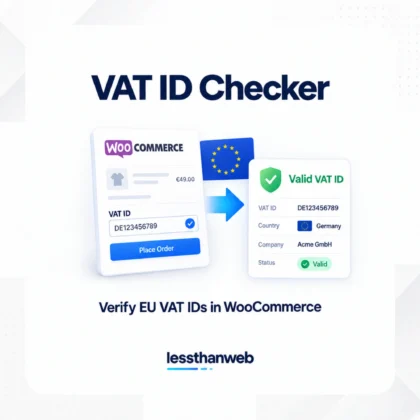
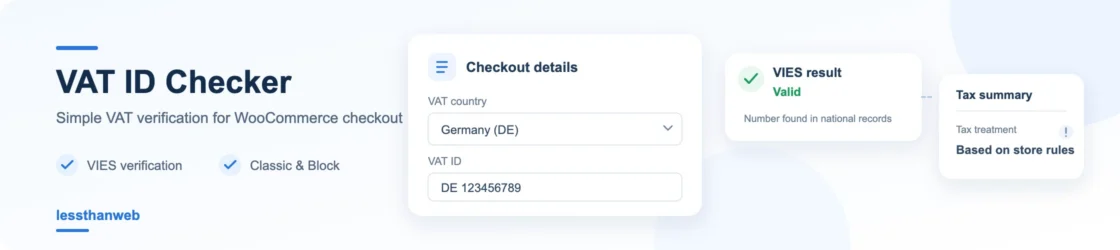
With the lessthanweb VAT ID Checker, customers can enter their VAT country and ID during checkout. You can choose to place the fields in the billing section or order details. Customers can also manage their current VAT ID from My Account.
Classic Checkout
On a store using the Classic Checkout, the fields appear in the checkout form. Choose the location that fits your billing flow, and check that the fields are easy to find on both desktop and mobile.
Checkout Block
The plugin also supports WooCommerce’s Checkout Block. It provides the same VAT ID entry and verification workflow, with a choice of field placement. If you have customized checkout, test the full process in your own setup—including the order review and payment step—before making changes live.
Verification is not a tax decision
A valid VIES result confirms that the number is found in the relevant national database; it does not, by itself, determine whether an order qualifies for a VAT exemption. Tax treatment depends on the transaction, applicable rules, and your WooCommerce tax configuration. Review your store’s settings and get professional tax advice for your situation.
To help avoid incorrect tax changes, VAT ID Checker never removes tax for a confirmed-invalid ID and retains tax for unverified IDs by default. You can configure whether checkout may continue when VIES cannot provide a conclusive result. By default, domestic customers whose taxable country matches the store’s base country keep normal taxes. For eligible cross-border cases, the customer may also need to confirm authorization when the VAT country differs from the billing country.
Keep checkout practical
- Make the VAT country and ID fields visible, but avoid making them mandatory for customers who do not need them.
- Decide what should happen during a VIES outage: allow checkout and follow up, or require a conclusive result first.
- Keep a record of checks and review unresolved cases rather than treating them as invalid.
Brezplačni vtičnik VAT ID Checker handles verification in Classic Checkout, Checkout Block, and My Account. If your team needs scheduled rechecks, a queue for unresolved checks, reports, or VIES failure alerts, VAT ID Checker PRO adds those management tools. Start with a checkout flow that suits your store, then review your tax settings separately from the verification result.